Promotions
Push the products you want to sell. A promotion boosts a product so the bot recommends it more often in chat.
What a promotion does
Normally the bot recommends whatever fits the shopper’s question best. A promotion tips the scales: it raises a chosen product’s ranking so it comes up more in those recommendations. Use it for a sale item, new stock, or anything with a better margin.
Creating a promotion
Open AI Chatbot → Promotions and click New Promotion.
-
Name it
A label for your own reference, for example “Spring sale” or “Clear winter stock”.
-
Pick the products and the boost
Choose which products the promotion applies to and how hard to push them. A higher boost (for example 2x) means the bot favours them more strongly.
-
Set a date range (optional)
Leave it as No date range to run until you turn it off, or set start and end dates to schedule a sale in advance.
-
Turn it on
Use the Status toggle to make it Active. You can switch a promotion off at any time without deleting it.
Managing promotions
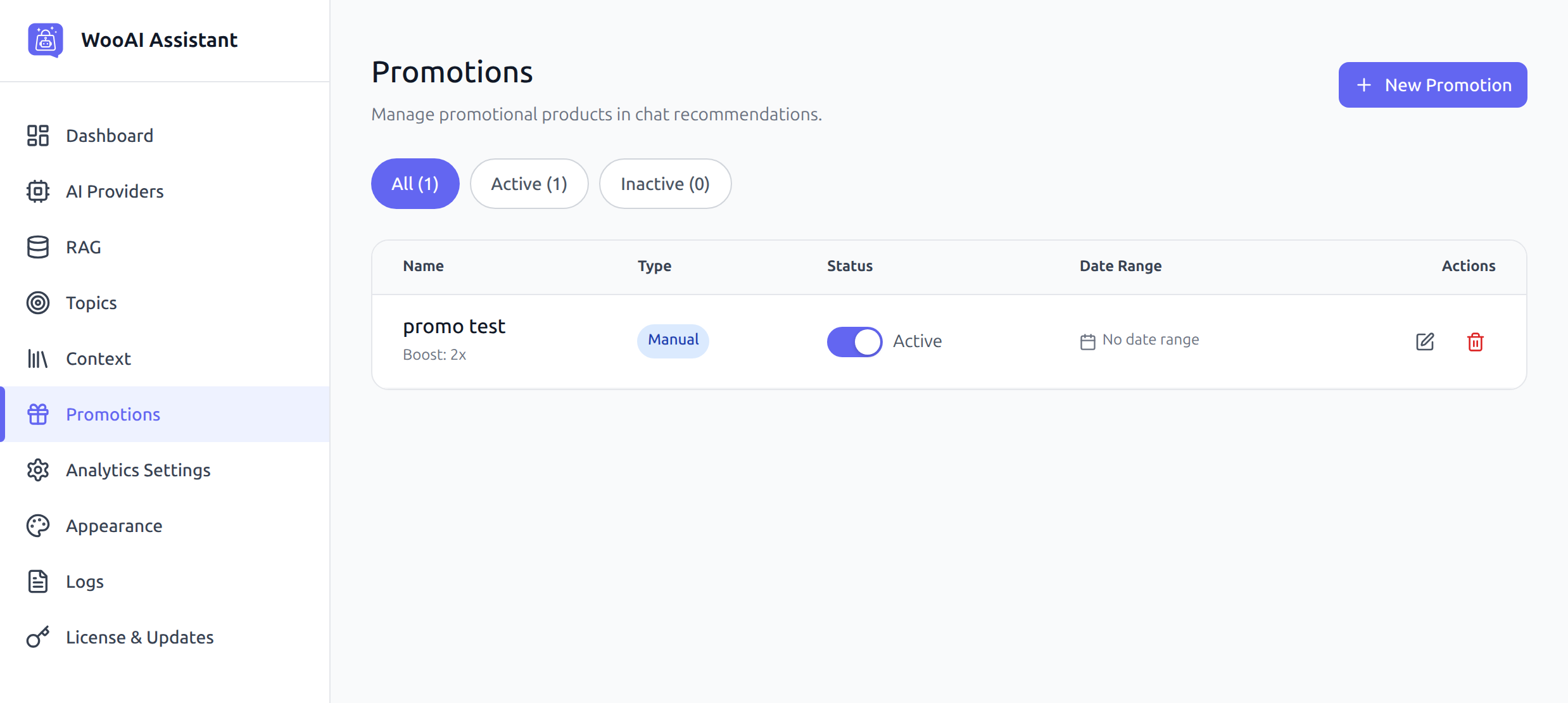
The list shows each promotion’s Name, Type, Status and Date Range. The tabs at the top (All, Active, Inactive) filter the view. Use the edit and delete icons on the right of each row to change or remove one.
If everything is promoted, nothing stands out and the recommendations start to feel like ads. Boost a few products at a time, and let the bot recommend the rest on merit.
Promotions and Excluded Products
These are two ends of the same dial. A promotion pushes a product up in recommendations. Excluded Products (on the RAG & Search screen) keeps a product out of search results entirely. Use exclusion for things you never want mentioned, and promotions for the ones you want mentioned more.